End of Week#2 Tasks
Preparing for Mini-presentation#1
- Create a Blogger Blog, post something
- Create a Quizlet Account and your own Quizlet with the title 'My Name TTP Vocab'
- Create a Diigo Account (you'll need to use Jeffnet [password: topsecret] or your own hotspot)
- Add URL's to TTP 2019 Account Info Doc
Reflective Journaling
Extensive Reading
- Enjoy .... and Update your ER Log
|
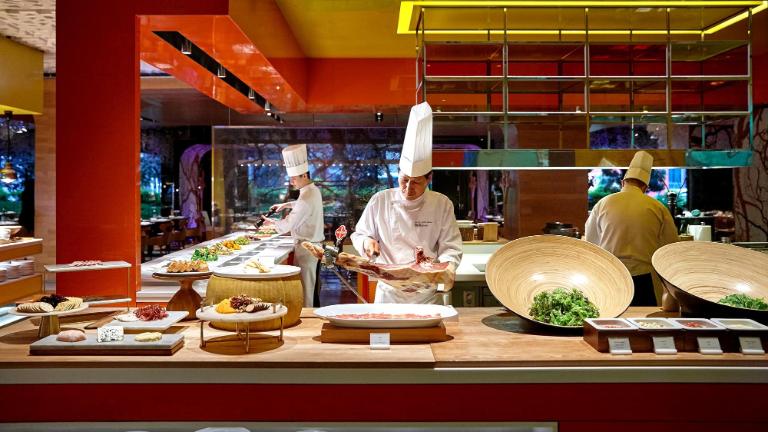
The goal of the first two weeks is to get oriented to the course, acquainted with each other, and get set up with some of the accounts and tools we'll be using (and to grab your first plate of goodies from the TILL buffet).
Week#1&2 Tasks:
- Create your Gmail Account.
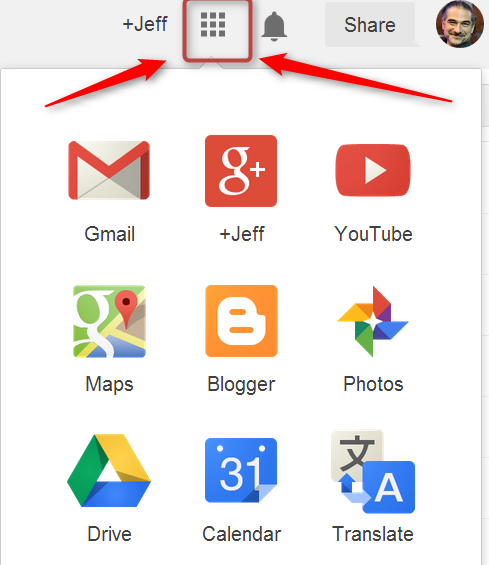
- Go to Drive.Google.com (or navigate there from the 9-dot navigation grid.
Click on 'Shared with Me'.
You should see several TTP 2019 folders.
RIGHT click on each one and click 'Add to My Drive'.
... and others
To experiment with your new blog, try
- posting a photo - posting a video - adding 'gadgets' to the side of your blog
- Create an account at https://diigo.com Register here. Step by step Diigo Guide here. Make sure to Join the Learning Call Group .
 Diigo is a social bookmarking tool that allows you to bookmark sites from any computer, share those links with others, and tune in to other peoples' links.
After you've registered, try bookmarking at least three sites. Sample the Buffet! Go to the Websites page and explore some of the CALL related websites . For a Korean-friendly look at some great CALL sites and tools, you can check out 오정훈 's site: http://www.ismartedu.net/ You can also look through some of the skills guides listed in the left side column. Try to bookmark anything interesting using Diigo.
Add your Diigo Profile URL to the TTP 2019 Account Info Doc
- Create an account at Quizlet.com. You can use your gmail address if desired.
You can explore some of the millions of existing quizlets there or experiment with creating your own. .
Watch this Quizlet screencast guide for 'how-to' information.
Quizlet App here.
Add your Quizlet Profile URL to the TTP 2019 Account Info Doc
- Make a copy of the Extensive Reading Log Template, add your name to the Document title, and make sure it is in your TTP Journal folder. In that same folder, create a document and title it 'your name TTP 2019 Journal - Session#1'.
(Optional) Look at some of the tools we'll be experimenting with and how current and former trainees have used them.
- Extra Special Super Important Very Fun Week#1 TaskPost a 1~5 minute INTRODUCTION VIDEO to the your the TTP Whole Group BAND.
You can take a ‘selfie video’ with your phone or get help from a friend. Be as creative as you like! (e.g. give a tour of your home, take us out with you on Friday night, sing your favorite song, etc.) If you have any problems uploading the video to the Band, email the file to Jeff at jefflebow@gmail.com You can see examples from Jeff here and here.
Join the TTP Bands

Invite Codes 7829 BIKER
|
 3313 CANYON
|
|
Apps to Install