Sunday, March 29, 2020

Learning Management Systems / Screencasting

Learning Management Systems


   Presentation Guide: Intro to Google Classrom
   
2020trainees@gmail.com / 4...........!
  Demo Course TILL:  ofl6bwd


Screencasting 


Monday, March 23, 2020

TTP2020 - Week#4


A few goodies from the buffet in case anyone is hungry....

Some Covid-19 Videos
ER Resources
\From the TILL Website Mega-buffet

From Site Building Tools

Padlet- easy group posting tool  Screencast Guide hereSimilar tools listed here  

Photo Manipulation Tools    Screencast Guide Here


TD#1 Food for Thought

From the TTP Kitchen

    Sunday, March 15, 2020

    TILL 2020 - Week#3 Buffet Items

    A few new sites/tools to play with this week...

      Optional Tasks:  

    • Post a link and/or screenshot of your favorite Archive.org WaybackMachine site
    • Create and share a LyricsTraining Exercises
    • Create a Word Cloud and post it on your blog. - Add new words to your Quizlet set - Revisit Week#1 and Week#2 tasks
    • Visit Feedly.com to check out new posts from your classmates and others.
    • Make sure your ER Log is up to date
    • Add any words or phrases you've learned recently in your Quizlet.
    • Online Learning Padlets:  Elementary   Secondary

      Sunday, March 8, 2020

      TTP2020 TILL Week#2

      Buffet Items & To Do Tasks
      Below are some of the TILL tools we will be using and/or learning about this week. After  they are introduced during Hour#1, choose the tools you're most interested in and explore.
      The week's goal:  Complete at least 3 tasks.


      Google  Forms
      Google Forms Guide and Links

      Task:  Create a Google Form Quiz or Survey and post it on your blog.


      Kahoot
      Task:  Create a Kahoot and post a link on your blog.

      Quizizz  (advantages vs. Kahoot)
      Resources & Tutorials

      To register and create quizzes, go to Quizizz.com
      To Play, go to Join.quizizz.com  and enter the access code

      Homework
      Live
      Task:  Create a Quizizz Quiz and post a link on your blog. 


      Quizlet

      Tasks:
      - Make sure you TTP Quizlet is called something like
      'Your Name- TTP2020 Vocabulary'.
      - Add words so that you have at least 10 words in your set. 
      -  Embed your set in a blogger post (like this). 
      - See how fast you can complete an Overseas Set Match Game


      Blogger Tips & Tweaks
       
      Theme Selection
      Photo Options    (check photos.google.com)

      Compose vs. HTML

      Embedding...
      Ted Talks  (Let's Reinvent Education)
      Quizlet
      Slideshare  (What they don't tell you about teaching)
      Google Presentation


      Tasks:  - Change your Blogger Template to something 'Simple', 'Awesome', 'Watermar', or 'Picture Window'.
      - Embed your Quizlet Flashcard set on your blog.


      Nearpod (Interactive Presentation Tool)

      |Task:  Create a Nearpod and post a link on your Blog.


      Feed Us!  with  Feedly

      A useful tool for sipping from the firehose - of TTP blogs and LOTS more!

      Feedly Guide


      Sunday, February 23, 2020

      TTP2020: Week #1 - Course Overview and Setup


      Fun Friday - TILL  Week#1 To Do List & Show & Tell

      TO DO Checklist

          Show & Tell (maybe)


          Tuesday, March 3 Tasks

          Diigo
          • Go to a website you know of that you find useful. Bookmark it with Diigo and share it with the Learning Call Group.
          • Visit the TILL Websites page. Enjoy browsing and try to Diigo bookmark at least three of them to your personal library.

          YouTube Videos for Teaching
          Join TTP YouTube MegaPlaylists.  Click on the links and make sure to click ‘Continue’

          Add videos to TTP Megaplaylists. Create your own playlists of favorite videos.


          Writing Prep To prepare for Week#1 Writing Tasks, go to your Writing folder and create two blank documents. - \Your Name - Fluency Drill'
          - \Your Name - Roommate'


          The goal of the first two weeks is to get oriented to the course, acquainted with each other, and get set up with some of the accounts and tools we'll be using (and to grab your first plate of goodies from the TILL buffet).

          Week#1&2 Tasks:
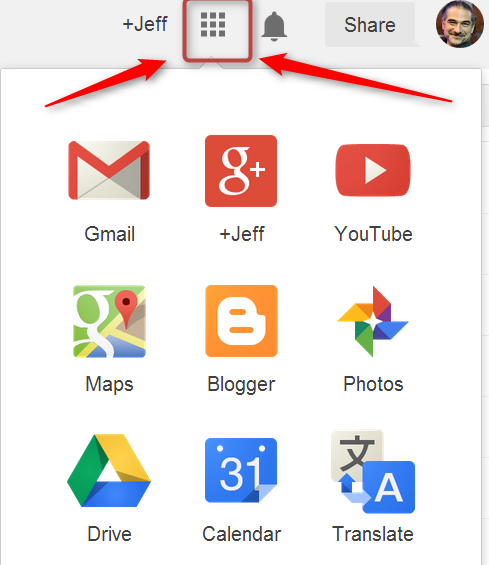
          • Go to Drive.Google.com (or navigate there from the 9-dot navigation grid.
          • Click on 'Shared with Me'.
            You should see several TTP 2020 folders and Documents.
            RIGHT click on each one and click 'Add to My Drive'.
            - TTP2020 Course Materials|
            - TTP2020 Teaching Demonstrations
            - TTP2020 Writings
            - TTP2020 Group Notes
            - TTP 2020 Account Info


                     ... and others
          To experiment with your new blog, try  
          posting a photo - posting a video - adding 'gadgets' to the side of your blog


             Extra Special Super Important Very Fun Week#1 TaskPost a 1~5 minute INTRODUCTION VIDEO to the your the TTP Whole Group BAND.
            You can take a ‘selfie video’ with your phone or get help from a friend. Be as creative as you like! (e.g. give a tour of your home, take us out with you on Friday night, sing your favorite song, etc.) If you have any problems uploading the video to the Band, email the file to Jeff at jefflebow@gmail.com You can see examples from Jeff here and  here.


            Join the TTP Bands


            Apps to Install

            Band


            Google Docs
            Android   Apple
            e
            Google Translate

            Android   Apple
            Quizlet

            Android   Apple