Monday, February 29, 2016

Weeks #1 & 2 - Course Overview and Setup

The goal of the first two weeks is to get oriented to the course, acquainted with each other, and get set up with some of the accounts and tools we'll be using (and to grab your first plate of goodies from the buffet).


Week#1&2 Tasks:
           ... and others
Apps to Install

Band

Google+

Blogger

Android   Apple
Google Hangout

Android   Apple
Google Translate

Android   Apple
Quizlet

Android   Apple


(Optional) This course is conducted as a type of 'Flipped Classroom'  and integrates elements of 'SOLE' (Self-Organized Learning Environments).  The materials below  this will provide you with some background information about these approaches.   

Sugata Mitra - SOLE (Self Organized Learning Environment)

Quoting Arthur C Clarke
  • Any teacher that can be replaced by a machine should be!
  • If children have interests then education happens.

Resources

The Flipped Classroom is a form of blended learning which encompasses any use of technology to leverage the learning in a classroom, so a teacher can spend more time interacting with students instead of lecturing. This is most commonly being done using teacher-created videos that students view outside of class time.
거꾸로교실 플립러닝 Flipped Learning KBS
PD Journal: 아이들이 즐거워지는 혁명, ‘거꾸로 교실’


 Let's use Video to Reinvent Education

More about Khan Analytics (starts at 1:10)
http://www.thegatesnotes.com/Topics/Education/Sal-Khan-Analytics-Khan-Academy

Interview with Salman Khan
http://fora.tv/2011/05/03/Khan_Academys_Salman_Khan_The_Real_YouTube_Revolution#chapter_07

About Flipped Classroom
http://www.peterli.com/spm/resources/articles/archive.php?article_id=2604

The Flipped Classroom Project
http://www.flatclassroomproject.org/

Teachers "Doing The Flip" To Help Students Become Learnershttp://www.thedailyriff.com/articles/teachers-doing-the-flip-to-help-students-become-learners-531.php


Monday, February 1, 2016

Digital Storytelling


What is Digital Storytelling?
From : http://digitalstorytelling.coe.uh.edu/page.cfm?id=27&cid=27
Digital storytelling at its most basic core is the practice of using computer-based tools to tell stories. There are a wealth of other terms used to describe this practice, such as digital documentaries, computer-based narratives, digital essays, electronic memoirs, interactive storytelling, etc.; but in general, they all revolve around the idea of combining the art of telling stories with a variety of multimedia, including graphics, audio, video, and Web publishing.
Online Resources


Digital Storytelling Examples

Storybuilding Tools
    Graphic Organizers & Worksheets

    General Digital Storytelling Resources
    Storytelling Podcasts
    Podcatchers

    Audio books

    PodiobooksPodiobooks offers complete books in episodic form so you can get just a chapter at a time 
    Open Culture Open Culture has a very respectable collection of great audio books, mostly classics, available for free in a variety of downloadable formats from all over the Web. 
    Internet ArchiveThe Internet Archive has a very good collection of free audio books and poetry recordings from a eclectic variety of sources.
    LibrivoxLibrivox is an entirely volunteer-curated collection of free audio books that are in the public domain. Volunteers read chapters of these books, and the chapters are then placed online for public consumption.
    Learn Out LoudLearn Out Loud is a gigantic collection of free audio books, lectures, and educational podcasts
    Project Gutenberg  Project Gutenberg one of the oldest and largest sites on the Web, offering thousands of free, public domain books both to read and to listen to.

    Videos

    Playback Speed control


    Media players with speed control

    Tuesday, November 10, 2015

    The Rest of Session#2


    Main Task (Weeks#11~14)
    The rest of Session#2 will be spent revisiting CALL Tools of most interest to you and applying them to your actual teaching.  By the end of Week#11, please create at 'To Do List' of specific tasks you would like to accomplish by the end of the session. Post this list on your blog.  Possibilities include:
    • Creating a new blog and designing it for use as a class website 
    • Using Quizlet to create a set of Flashcard-related activities for specific lessons 
    • Creating a Proprofs/Quizstar quiz, Google form, ppt game, or other activity for your class 
    • Create a classroom management site using Schoology.com Eliademy Socrative.com Edmodo or Classdojo
    • Recording a Google+ Hangout interview with someone 
    • Developing a collection of useful RSS feeds that Korean educators would find interesting (Feedly) 
    • Creating an audio recording (Clyp.it or Voki) related to a particular lesson 
    • Creating and edited video for use in your teaching 
    • Demonstrating how you can use mobile devices in your teaching 
    • Creating maps, mindmaps, and/or graphic organizers for use in a lesson 
    • Creating a Prezi or Powtoon for a specific lesson 
    • Creating a comic-based activity from comics you’ve created (photo or video) 
    • Padlets and/or Wordles for specific lessons 
    • An annotated guide to useful Social Networking Groups for Korean educators (Facebook Groups, Google communities, LinkedIn Networks, etc) 
    • Make your own ‘how-to’ screencast guides 
    • Build a YouTube playlist and post it on your blog 
    • ANYTHING ELSE that your CALL learning passions inspire you to create.
      You might get some additional ideas from the Week#10 Review List


    Monday, November 9, 2015

    Week#11, Part 1 - Schoology


    Register at Schoology.com with a Teacher Account. .

    Access our experimental course with this code: 6Z3VX-KFW9K
    First, attempt the short Vocab quiz in the Speaking section. 
    Afterward, Jeff will give you 'admin permissions' so you can experiment with creating content in our group course or in your own.

    To access as the group course as a student, create an account with your other email address or use
    Student ID:  bufsttp@gmail.com
    Password: D305-Power

     (Schoology Overview screencast parent guide)


    Sugata Mitra - SOLE (Self Organized Learning Environment)

    Quoting Arthur C Clarke
    • Any teacher that can be replaced by a machine should be!
    • If children have interests then education happens.

    Resources

    The Flipped Classrooma form of blended learning which encompasses any use of technology to leverage the learning in a classroom, so a teacher can spend more time interacting with students instead of lecturing. This is most commonly being done using teacher-created videos that students view outside of class time.

     Let's use Video to Reinvent Education

    More about Khan Analytics (starts at 1:10)
    http://www.thegatesnotes.com/Topics/Education/Sal-Khan-Analytics-Khan-Academy

    Interview with Salman Khan
    http://fora.tv/2011/05/03/Khan_Academys_Salman_Khan_The_Real_YouTube_Revolution#chapter_07

    About Flipped Classroom
    http://www.peterli.com/spm/resources/articles/archive.php?article_id=2604

    The Flipped Classroom Project
    http://www.flatclassroomproject.org/

    Teachers "Doing The Flip" To Help Students Become Learnershttp://www.thedailyriff.com/articles/teachers-doing-the-flip-to-help-students-become-learners-531.php


    거꾸로교실 플립러닝 Flipped Learning KBS
    PD Journal: 아이들이 즐거워지는 혁명, ‘거꾸로 교실’

    Tuesday, November 3, 2015

    Week#10 - Another Lap around the Buffet


    During the rest of session#2, we will focus on applying CALL tools and resources to your teaching situations. Before tackling those challenges, let's take another look at what we've 'tasted' on the buffet so far. Take the next few hours to attempt tasks that interest you, keeping in mind how you might apply these to your teaching.

    Things to Do

    Tuesday, October 27, 2015

    Week#9 Odds & Ends + Social Networking


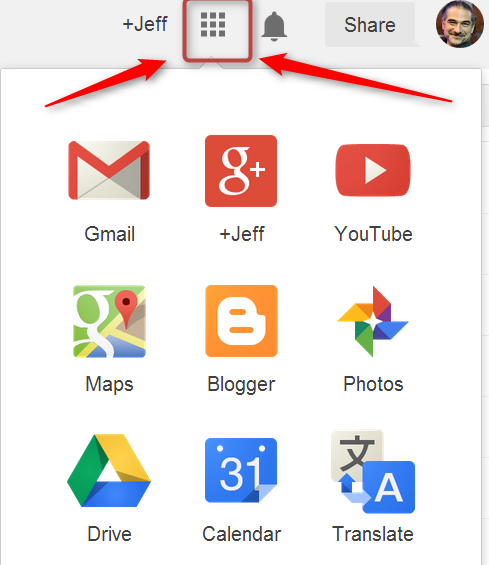
    Google offers a variety of useful tools which are included for free with a Google account.  Below are screencasts that describe some of these tools.  There were also recorded last year, but are mostly up-to-date. 
    Gmail    Drive   Google Plus
    &   
    Photos 
    Calendar   Translate
    ScreencastScreencastScreencastScreencastScreencast
    (the video file links are there in case you want to download these for offline viewing)

    To Do Possibilities: 
    • Add a forwarder from your Gmail account to your main email account (if gmail isn't your main account)
    • Create a calendar, add an event, and send yourself a reminder. 
    • Upload a photo or two (or 100) to your Google photo space and share them with your TTP Classmates classmates in Google Plus. 
    • Use Google Translate (online or mobile) and see if it can accurately transcribe you speaking these Pronunciation Practice Sentences and Minimal Pairs

    Chrome TOOLS
    There are also a variety of ways to 'extend' Google's  Chrome browser to add functionality.
    You can see all extensions in the 'Chrome Web Store'.   (despite the word 'store', extensions are free)
    Below are some CALL-related extensions.

    Watch this Screencast Guide>>>:   Screencast  

    Screenreaders
    Speakit: Chrome Extension
      
    https://chrome.google.com/webstore/detail/speakit/pgeolalilifpodheeocdmbhehgnkkbak?hl=en
     List of other screenreader options at: http://usabilitygeek.com/10-free-screen-reader-blind-visually-impaired-users/


    Dictionary Extensions
      
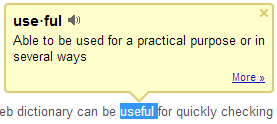
    Google Dictionary 
    This can be useful for quickly checking the meaning and pronunciation of words online. https://chrome.google.com/webstore/detail/google-dictionary-by-goog/mgijmajocgfcbeboacabfgobmjgjcoja?hl=en


    Other Options


    Social Networking

    Take a look at the Social Networking Guide and watch the Social Networking Screencast.

    Explore some of the ELT groups and communities on Google+, Facebook, Diigo, LinkedIn, and elsewhere .

    Join ones of interest, bookmark them with Diigo, and/or create a blog post about any interesting discoveries.

    If you're feeling ambitions, join twitter, find some people to follow and send out your first tweet.


    Check out a few more Odds & Ends